
 query@authorhousemedia.com
.png)
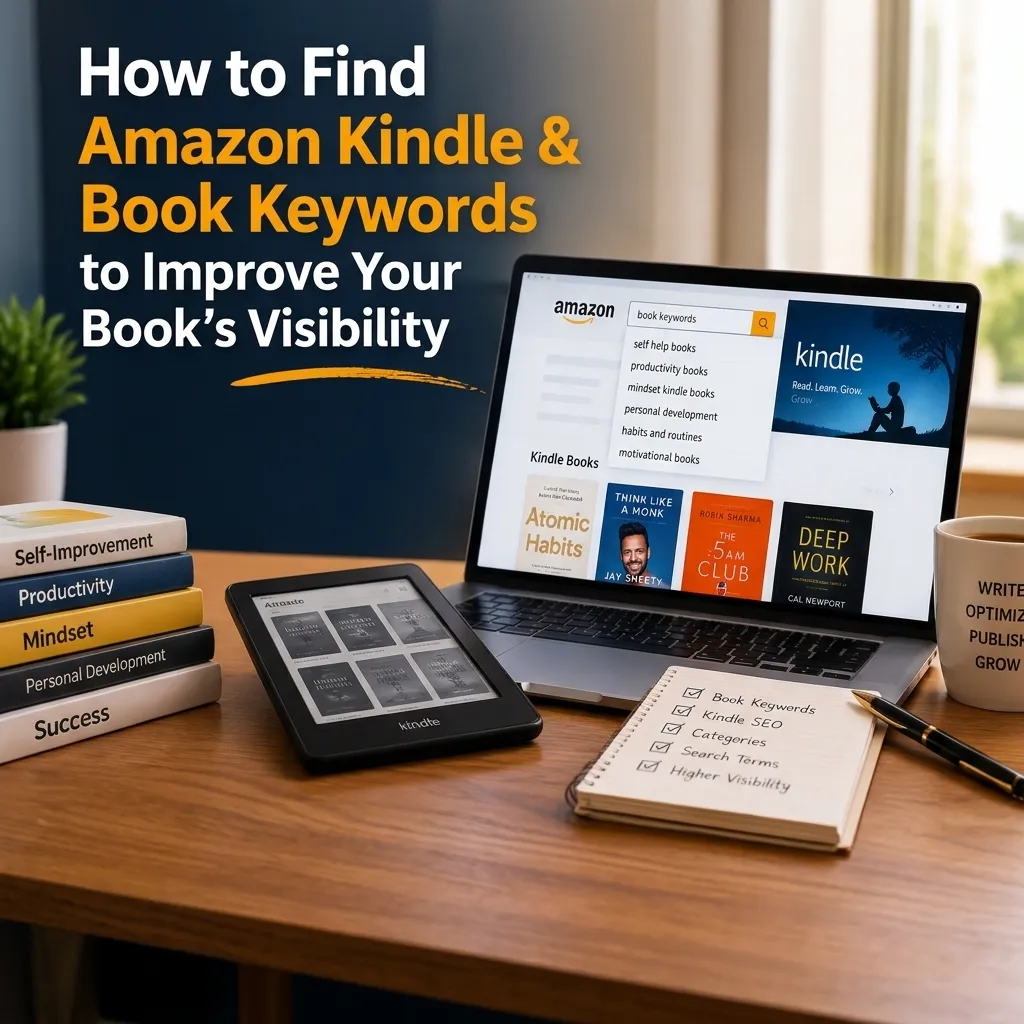
You wrote your book, polished every chapter, and finally published it.
But what happens when readers can’t find it?
That’s where Amazon Kindle & Book Keywords come in. Millions of books compete for attention on Amazon. Even a fantastic story may not get seen without the appropriate search phrases.
But identifying good keywords is not a guessing game. You can see what readers look for, see competing titles, and find valuable phrases.
The aim is straightforward. Help Amazon connect your book with people who want to read it.
Whether you’re publishing fiction or nonfiction, smart keyword research can improve your book’s chances of being discovered.
So, how do you find those keywords? More importantly, how do you know which ones deserve a place in your listing?
This guide explains each step, from finding keyword ideas to making informed choices.
Why Good Books Get Lost on Amazon
Now imagine strolling inside a bookshop with millions of shelves. You know what sort of book you want, but where do you begin?
Amazon has a similar difficulty.
Readers look for subjects, genres, characters and themes. Then Amazon suggests books that could interest them.
But Amazon needs information to know what each book offers. Your title, categories, keywords, and other book details provide some of that information.
For example, imagine you’ve written a mystery set in a seaside village.
You could describe it simply as a mystery novel. However, that phrase covers thousands of different stories.
Now think “seaside cozy mystery.”
That phrase is more telling. This implies a certain ambiance, mood and reading experience. So if readers are into that style, they’ll be able to find your work more readily.
Keywords, however, are no magic bullet that guarantees purchases.
There are many elements Amazon examines when displaying and rating books. Relevance and reader behavior can also be relevant, as well as sales activity.
Therefore, think of keywords as one part of your publishing strategy.
They help readers discover your book. Meanwhile, your cover and description help readers decide whether to buy it.
Both jobs matter.
What Are Amazon Kindle & Book Keywords?
Amazon Kindle & Book Keywords are search terms that help Amazon understand your book’s content and audience.
These terms may describe your genre, setting, themes, characters, or subject.
For example, readers might search for:
- Cozy mysteries with cats
- Historical romance set in Scotland
- Easy gardening books for beginners
- Bedtime stories about friendship
- Budgeting guides for young adults
Each phrase reveals something about what a reader wants.
Amazon Kindle Direct Publishing (KDP) provides seven keyword fields for your book’s publishing details.
You can enter relevant words or short phrases into these fields. Although readers don’t see these backend keywords directly, Amazon can use them when matching books with searches.
Amazon KDP’s keyword guidelines suggest that you make decisions which are correct descriptions of your book.
So don’t just choose keywords because they sound popular. Pick words that describe the experience of reading your book.
Keywords and Categories Serve Different Purposes
Book categories are areas of Amazon’s bookshop that arrange titles.
A novel, for example, can be classified as a psychological thriller or historical fiction. Keywords offer further details.
Historical novels might be about family secrets, wartime romance, or political struggle.
These facts can assist readers in realizing what’s special about the story.
So use categories to define the major genre of your work. Then, employ keywords to convey unique ideas and reader interests.
Together, they provide a clearer picture of your book.
Think Like a Reader, Not an Author
Here’s a mistake many authors make. They choose keywords based on how they describe their writing.
However, readers often use simpler language.
For example, an author might describe a novel as “an emotional exploration of identity and belonging.”
Meanwhile, readers might search for “coming of age family drama.”
Both descriptions can relate to the same story. Yet they reflect different ways of thinking. So, before you begin keyword research, think about your ideal reader.
What kind of books do they like? What troubles do they want fixed? What stories do they want to hear?
Readers can browse novels by genre, mood, setting, or known tale ideas.
For nonfiction, readers often search for answers to specific questions. A reader seeking financial advice might search for “budgeting for single parents.”
That phrase reveals a clear need.
Therefore, your keywords should connect with reader interests rather than complicated descriptions.
Build a Simple Reader Profile
Start with three questions.
First, who is most likely to enjoy your book?
Second, what does that reader expect?
Third, what words might they type into Amazon?
Suppose you’ve written a children’s adventure about two friends exploring a magical forest. Your readers might be parents searching for stories about friendship, courage, or adventure.
Meanwhile, your book’s intended age group could provide another useful detail.
Write down these ideas before opening Amazon. They’ll help you recognize relevant phrases during your research.
Most importantly, remember that your book doesn’t need to appeal to everyone.
It needs to reach readers who genuinely want its content.
How to Find Amazon Keywords Using Free Research
You don’t need expensive software to begin researching Amazon search keywords.
In fact, Amazon’s search bar offers a useful starting point. When shoppers type into Amazon, the search bar suggests related phrases. These suggestions may reflect previous customer searches and other signals.
Therefore, they can reveal different ways people look for books.
However, suggestions don’t provide exact search volumes. Use these to discover possible keywords, not to see how many people search for each term.
Step 1: Head to Amazon Autocomplete
Go to Amazon and choose the Books or Kindle Store category.
Then type in a general phrase relating to your book.
For example, suppose you’ve written a fantasy novel featuring dragons.
Start by typing “dragon fantasy.”
Next, examine the suggested searches.
You may find more particular terms with fantasy themes such as magical worlds, adventures or others.
Write down suggestions that are true to your story.
Then try to add more words or letters to your original phrase.
For example, try “dragon fantasy romance” or “dragon fantasy adventure.” It allows you to explore variations without developing random terms.
But keep in mind search suggestions are not static.
What’s shown may be affected by your location, browsing activity, and selected Amazon marketplace. Therefore, research the marketplace where you plan to sell your book.
Step 2: Search Beyond One Phrase
Readers don’t always describe the same topic in identical ways.
For example, someone may search for “easy home workouts.” Another reader might search for “beginner fitness at home.”
Both searches suggest a similar interest. Therefore, explore different word combinations. I’ll try to reorder words, add useful facts, or switch out general terminology.
You might also look at your book’s core topics.
In a romance story, there might be second chances, childhood pals, or a small-town setting.
A nonfiction guide, meanwhile, may aim at beginners, practical solutions, or a particular difficulty.
Record every relevant phrase.
At this stage, don’t worry about choosing the final seven.
Your goal is to collect enough ideas for meaningful comparison.
Step 3: Study Books That Already Appear
Once you have a good term, look it up on Amazon. Then take a look at the books that show up in the results.
Do they look like your book? Do their covers, titles, and descriptions suggest a comparable audience?
For example, suppose you’re searching for “small town mystery.” If the majority of results are mild riddles, the phrase could fit a warm story. But it might not belong in a gloomy criminal thriller.
Also, see how the authors promote their works. Pay attention to the concepts they foreground and the expectations their descriptions create. This investigation can uncover useful patterns.
But don’t duplicate other authors’ titles or irrelevant names into your metadata. Instead, use their listings to learn about your audience.
How to Choose Keywords for Amazon With Less Competition
Finding relevant phrases is only the beginning. Next, you need to examine the competition. A keyword may describe your book perfectly. However, it might also attract thousands of established titles.
For example, “romance books” covers an enormous market. Meanwhile, “small town second chance romance” describes a more specific interest.
That difference matters.
A focused phrase may help you compete for readers seeking a particular story. These phrases are often called long-tail keywords.
They incorporate more words into a message with a more specific search purpose. But longer sentences do not necessarily yield better results.
They still must be similar to natural searches and the content of your book.
Look Beyond Search Popularity
A keyword might have thousands of searches, but that doesn’t mean it’s the best one for your book. Three things to remember how to choose keywords for Amazon:
- Relevance: Is the keyword related to your book?
- Demand: Do people look for novels with phrases like these?
- Competition: How hard is it to get found in those search results?
A good keyword balances all three.
For example, “romance books” may have a lot of searches. But that word is contested by many prominent authors.
A more precise phrase like “small town second chance romance” will help you find people interested in that specific genre and set expectations for them.
So, don’t only go for the hot terms. Search for phrases that fit your book and that have a realistic possibility of being seen.
Check the First Page of Results
Search for all the promising keywords. Then study the best literature. Check their review counts, publication dates, covers and author recognition.
Also, make sure their titles closely match the search query.
A page crowded with notable authors can mean stiff competition. But review counts alone don’t tell the whole story.
Some novels have readers due to advertising, email lists, or existing audiences. So, consider a few details simultaneously.
Then ask yourself if your book gives compelling cause for them to pick it up.
Maybe your story has a specific setting. Maybe your tutorial is simplifying a complex issue too much.
Look for meaning, not spurious claims.
Understand the Limits of Sales Estimates
Amazon Best Sellers Rank can provide clues about a book’s overall sales activity. However, it doesn’t reveal exactly which keywords produce purchases.
For example, a competing book might sell well because of advertising. Another might benefit from an author’s existing audience.
Therefore, don’t assume its success comes from one search phrase. Likewise, third-party tools often estimate sales using available data. These estimates can support your research.
However, they aren’t guaranteed figures or direct reports from Amazon. Use them carefully when comparing keyword opportunities.
Find Keywords That Match Buying Intent
Not every search suggests the same level of interest. Some shoppers browse broad topics. Others know exactly what they want.
For example, “healthy eating” suggests a general interest. Meanwhile, “easy meal planning for beginners” describes a more focused need.
The second phrase may better match a practical beginner’s guide.
Similarly, “fantasy books” covers many stories. However, “fantasy adventure with dragons” suggests a particular reading experience.
Therefore, consider what readers expect when entering each phrase. If your book meets that expectation, the keyword may be worth researching.
Use Your Book’s Strongest Features
Begin with the main elements of your manuscript.
For fiction, consider genre, setting, characters, main themes.
If you’re writing nonfiction, zero in on the problem your reader has and how your book solves it.
For children’s books, consider age appropriateness, tale themes, and learning objectives.
Then relate those details to natural search keywords.
For example, a children’s story about kindness would be a good fit for queries regarding friendship and empathy. But please don’t make educational claims that aren’t relevant.
Just because there are animals in a book doesn’t make it a nature book.
Accuracy helps readers make informed decisions. In addition, good matches of readers will appreciate the book they get more.
Use Keyword Research Tools Wisely
Manual research works, but it can take time. Fortunately, several tools help authors explore keywords and compare competition.
For example, Kindlepreneur’s keyword guide explains manual research methods and publishing research tools.
It also discusses Publisher Rocket, a tool designed for book market research.
Such software can provide estimated search demand, competition data, and related phrases. However, these figures should support your decisions rather than control them.
Search estimates aren’t guaranteed sales. Likewise, a low competition score doesn’t guarantee strong rankings.
Therefore, always check whether the suggested keywords genuinely match your book.
Start Free Before Paying
If you’re publishing your first book, begin with free research. Use Amazon autocomplete and examine similar titles.
Next, place your results in a spreadsheet. Search term, relevancy and competition observations and reader intent. Check out reader discussions & reviews too.
These sources may reveal language readers use to describe favorite books. However, those descriptions don’t always represent popular Amazon searches. Verify useful ideas through further research.
Once you’ve learned the basics, paid tools may help you work faster.
Don’t Rely on AI-Generated Lists Alone
AI can suggest themes and related search phrases. However, it doesn’t automatically know current Amazon search volumes. Therefore, don’t accept keyword lists without checking them.
For example, AI might suggest “magical dragon friendship adventure” for a fantasy novel.
That phrase may sound relevant. However, you still need to investigate whether readers use similar searches.
Treat AI suggestions as brainstorming ideas. Then, verify promising phrases with marketplace research.
Turn Your Research Into Seven Useful Keyword Fields
After gathering possible keywords, narrow your list. Amazon KDP provides seven fields for keyword phrases.
Each field has a character limit, so choose your words carefully. The goal isn’t to fill every field with as many words as possible.
Instead, select phrases that add useful information about your book. Suppose you’ve written a lighthearted mystery set in a seaside village.
Your research might produce these sample phrases:
Field | Example Keyword Phrase |
1 | Seaside cozy mystery |
2 | Amateur sleuth mystery |
3 | Small town whodunit |
4 | Bakery mystery fiction |
5 | Lighthearted detective story |
6 | Stolen necklace mystery |
7 | Feel-good mystery fiction |
These are not certified high performing keywords, but are illustrative. Check them for relevance, demand and competitiveness before employing them.
Also, review the existing information for your book. If the term is already in your title, you may not need to repeat it.
Amazon advises authors to avoid unnecessary repetition. Therefore, use keyword space to communicate additional details.
Keep Phrases Natural
Some authors fill keyword fields with unrelated words. For example, they might enter ”mystery suspense funny romance village detective.”
That combination provides little clarity. Instead, use focused phrases that express recognizable ideas.
A phrase such as ”small town amateur detective” communicates a clearer concept. However, don’t force long phrases simply to use more characters.
Short, relevant wording is often easier to understand.
Avoid Repeated Variations
You don’t need separate fields for minor spelling or grammatical differences.
For example, “mystery book” and “mystery books” offer little extra value. Likewise, changing capitalization won’t create a meaningful new topic.
Instead, explore other relevant features.
Your book’s setting, themes, or intended audience may offer stronger options.
Before finalizing, read all seven entries together. Ask whether each provides something useful. If two phrases communicate nearly the same thing, consider replacing one.
Add Amazon Search Keywords to Your Book Listing
Once you have chosen your terms, you will need to enter them into KDP.
First, sign in to your Amazon KDP dashboard.
Open your Bookshelf and find the title you need.
Do the following:
- Click the menu next to your book.
- Click on the option to change its details.
- Go to the Keywords section.
- Write in your studied terms.
- Check spelling, correctness and repetition.
- Save your changes.
- Complete the remainder and send in your update.
If your book is already released, you can still change up the keywords. But Amazon takes time to process changes to metadata.
So don’t expect search visibility to alter overnight. Check also the details of each format you publish.
Your ebook, paperback, and hardback may require different updates. Be certain that each listing is an exact copy of the same book.
Support Keywords With a Strong Description
Keywords help readers find books. However, your description helps readers decide whether to buy them.
Therefore, write clear, engaging copy that reflects the book’s actual content.
For fiction, introduce the main character and central conflict.
For nonfiction, explain the reader’s problem and what the book teaches.
Meanwhile, avoid forcing search phrases into every sentence.
Your description should sound natural.
A compelling opening, clear benefits, and accurate details can strengthen your book’s presentation.
Similarly, keep your title meaningful. Don’t add unrelated words merely to attract searches. Your title, cover, description, and keywords should communicate a consistent message.
Avoid These Common Keyword Mistakes
Even careful research can lose value when authors make avoidable mistakes. Some errors waste space. Others may violate Amazon’s publishing guidelines. Fortunately, you can catch many problems before publication.
Choosing Misleading Keywords
A popular search phrase may seem tempting. However, don’t use it unless your book fits.
For example, a dark psychological thriller shouldn’t appear as a cozy mystery.
Likewise, an advanced business guide shouldn’t claim to suit complete beginners. Misleading keywords attract readers with the wrong expectations.
Therefore, choose accuracy over popularity.
Using Famous Authors’ Names
Readers may search for books by well-known authors. However, stuffing unrelated author names into your keyword fields can violate Amazon’s regulations.
Instead, look at the themes and genres that are driving the attractiveness of comparable works. Then, find accurate descriptions for your own work.
Your goal is to reach a shared audience, not misrepresent your book.
Adding Promotional Claims
Avoid phrases such as “best book ever,” “free download,” or “number one bestseller.”
Such claims aren’t useful descriptions of your content. Some may also violate Amazon’s metadata guidelines.
Instead, focus on your book’s themes, subject, or reader needs. These details remain relevant even when promotions end.
Ignoring Existing Metadata
Your title, subtitle, category, and keywords columns should all play together.
But utilizing the same terms everywhere could take away crucial space.
Review the full listing before releasing it. Then take out unnecessary repetition and rectify spelling problems.
Also, check Amazon’s current guidelines before submitting any changes.
Test Your Keywords After Publishing
Don’t stop doing keyword research when your book is live. Readers’ interests shift. New competition springs up. It changes search results, too.
So check your listing often.
Begin by looking up some of the phrases you’ve picked. Then, see if your book shows up in the relevant results.
But keep in mind, Amazon search positioning can vary.
What you see will depend on things like your location, browsing activity, ads, and more. So don’t assess performance on a one-off search.
Watch More Than Rankings
Your book’s position in search results provides one clue. However, sales and reader interest also matter.
Check your KDP reports for trends at large.
If running Amazon Ads, review clicks, costs, and credited sales. These figures can help you assess your advertising results.
However, they don’t prove how much organic keyword traffic your book receives. Therefore, avoid drawing firm conclusions from limited data.
Make Changes With a Clear Reason
If a keyword seems unsuitable, return to your research. Check whether the phrase still matches your book.
Then, examine competing titles and alternative searches. Perhaps another phrase better reflects the reader’s needs.
If you make a change, record the date. Then, allow time for Amazon to process the update.
Avoid replacing every keyword repeatedly. Otherwise, you’ll struggle to understand which changes helped.
A Practical Keyword Checklist Before Publishing
Before submitting your book, review your choices one final time.
You don’t need a complicated system.
Instead, ask seven simple questions:
- Does each keyword accurately describe my book?
- Would my ideal reader search for this phrase?
- Have I explored Amazon’s suggested searches?
- Have I checked relevant competing books?
- Does each phrase add useful information?
- Have I avoided misleading claims and repetition?
- Do my choices follow Amazon’s current guidelines?
If your answers are clear, you’re making informed choices.
However, remember that keywords are only one part of book visibility.
Your cover needs to attract attention and explain the value of your book. Your categories should reflect the right genre.
At the same time, your material needs to deliver on the reading experience you promised. All of these things assist readers in comprehending and choosing your book.
Help the Right People Find Your Book
Discover powerful Amazon Kindle & book keywords. Know your readers first. Then figure out what makes your book valuable or appealing.
Study your competitors’ titles and look at real searches.
Then, before deciding on your phrases, check for relevancy, possible demand and competition.
And most importantly, don’t just pick keywords because they sound trendy.
Instead, go after the readers who are already searching for books like yours.
But strong keyword research is best when combined with competent book preparation.
Author House Media is a book publishing company that serves authors who are ready to publish their writings.
These services assist authors in taking their finished novels and getting them out there professionally, from formatting to publication support.
After all, exposure is key when readers discover a book that delivers on its promises.